Barcode fonts built for labels and stock control
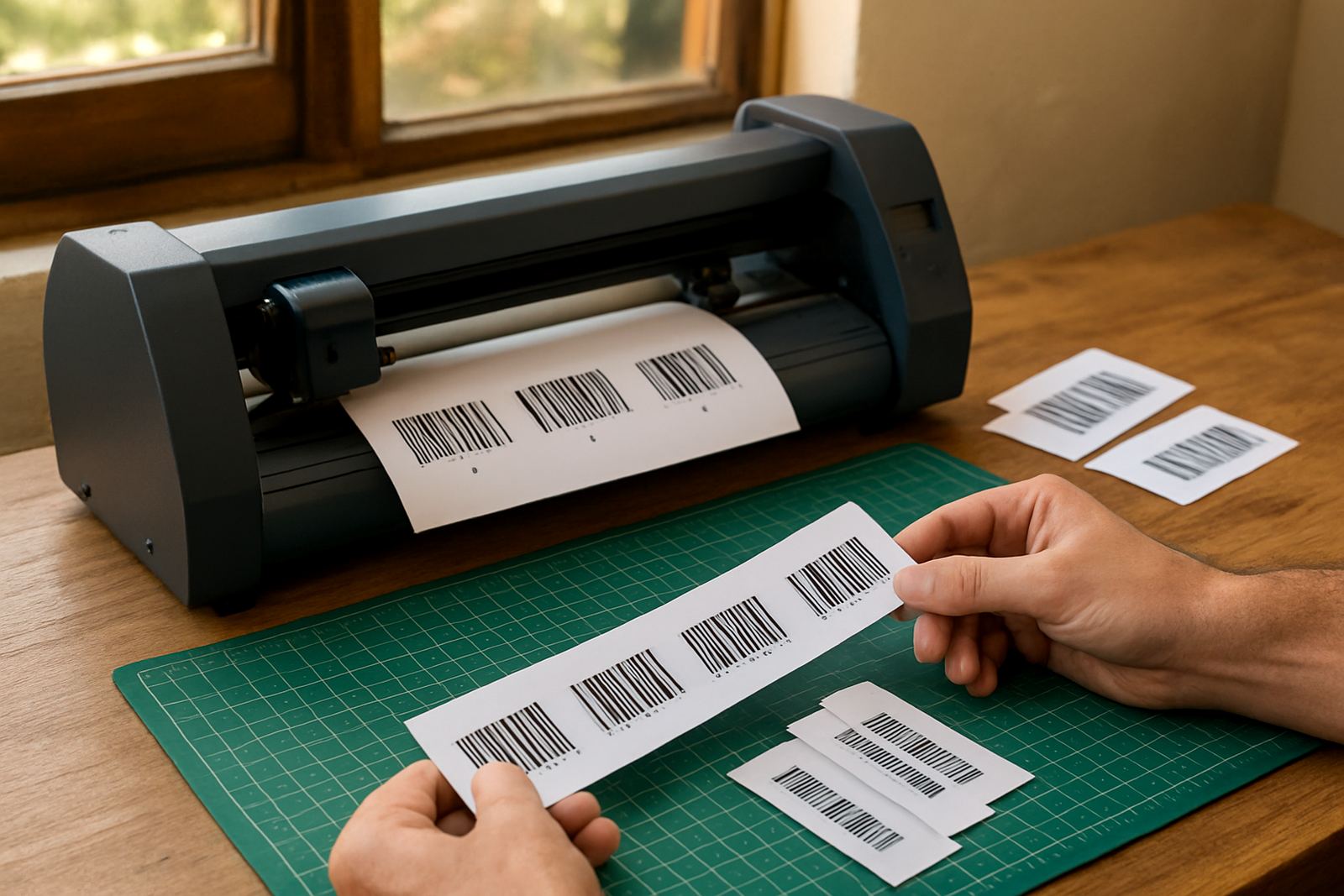
Barcode Font Pack is a specialist font set for making readable barcodes, symbols and plain text markings inside your sign and print workflow. It is used for asset labels, shelf tags, warehouse stickers, product codes, service stickers and utility notices where the code must scan cleanly first time. For most South African print rooms, the value is in speed: once the font pack is installed, your operators can build labels in familiar design software without switching to a separate coding system.
The pack suits sign makers who already produce vinyl labels, short run stickers, cable tags and control panels. It also helps print service providers handling retail stock marks, dispatch labels and shop fitting jobs for local clients who want clear, repeatable codes. If your team handles mixed jobs and load-shedding interruptions, a tidy barcode workflow saves time because fewer reprints are needed after power returns.
- Common use: Code 39, Code 128 and similar office and shop label formats
- Good for: stock rooms, workshops, stores, municipal marking and utility signage
- Works with: label artwork, variable data layouts and basic label templates
Sizes, symbols and format choices to match your job
The pack is supplied as software fonts and symbol sets rather than a physical item, so the choice is about style, format and output width. Some barcodes need compact sizing for small product labels, while others need a wider quiet zone for scanners used at tills, dispatch counters or warehouse bays. The right option depends on the label size, the scanner type and whether the code is for internal stock use or customer facing marking.
For practical production, most teams need a font set that allows clear output from small labels around 25 mm wide up to larger marks for crates and files. If you are printing on glossy stock, matte vinyl or synthetic label material, the same code should still hold contrast once laminated or handled. We also look at whether the job needs extra symbols, check digits or text below the bars for manual reading.
- Label widths commonly used: 25 mm, 38 mm, 50 mm and 75 mm
- Typical output: single line bars, human readable text, and symbol additions where required
- Recommended for: benchtop label printers, vinyl cutters and print layouts that need variable codes
Where barcode font packs suit South African production
This product fits sign shops and print rooms that work with stock labels, asset control, locker labels, cable tags, retail shelf tickets and site notices. In Johannesburg and Pretoria, it is often used for office parks, workshops and warehouse labels where scanning speed matters. In coastal areas such as Durban, Cape Town and Gqeberha, teams often ask for durable material choices because humidity and handling can affect label life, so a clear barcode with good contrast is important.
It is also useful for municipal and industrial marking where rooms, valves, asset numbers and maintenance points need simple codes. A barcode font pack is not only for large operations. Small printers and sign makers in Randburg, Midrand and Centurion use it for short run jobs, repairs and replacements, especially when a client needs a fast turnaround and a neat repeat order. We often see it combined with basic workflow setup so the same label style can be reused without rebuilding artwork every time.
- Good fit for: sign shops, print service providers, facilities teams and warehouse label work
- Useful for: stock marking, asset labels, maintenance tags and shop fitting labels
- Better results when: code size, scanner distance and contrast are checked before print
Installation, activation and workstation setup
Barcode Font Pack installs on standard Windows workstations used in sign and print environments. The setup process is straightforward, but the quality of the result depends on how your design software handles fonts, scaling and output resolution. During installation we check that the fonts are visible in the right applications, that licence activation is completed correctly, and that the computer is ready for production use.
For teams in Randburg and surrounding areas, this can be handled through onsite training or remote support depending on the job. If the pack will be used on multiple stations, we recommend checking the licence count before installation so there are no surprises later. No power or gas connections are needed for the product itself, although your computer, printer and cutter should be on a stable power supply. Where load-shedding is common, a backup plan for PCs and printers helps avoid interrupted label runs and half-finished jobs.
- Needs: compatible computer, supported design software and a valid licence
- No gas required; no special electrical installation required beyond normal office power
- Best practice: confirm font availability, output settings and print preview before live use
How to care for the workflow and keep scans clean
Because this is software, care is mostly about file control and keeping the print workflow tidy. Save a master template for each barcode type, keep a record of which font is used for each client, and avoid resizing a barcode after it has been drawn if that changes the bar width. Small changes can affect scan performance, especially on narrow labels or when a printer is set too dark.
Our support team can assist with colour workflow checks, RIP queue settings and cutter setup help where the barcode label is part of a larger print-and-cut job. If labels are going to be laminated, heat exposed or used in a dusty workshop, test the code on the final material before rolling out a full batch. That step saves reprints and helps make sure the scanner reads the code at the expected distance.
- Keep a master file for each label family
- Do not stretch or squeeze the bars after placement
- Test on the final stock, ink and finish before mass printing
What to check before you order
Before you order Barcode Font Pack, check which barcode type your client needs and how the label will be read. A code for internal stock control may not be the same as a retail or distribution label, and scanner compatibility matters. It also helps to know the final label size, the print method and whether the text must sit below the bars or beside them.
Please also confirm how many workstations need activation, who will use the pack and whether you want training for new staff. If your team is based in Johannesburg, Pretoria, Durban, Cape Town, Gqeberha or nearby areas, we can arrange remote support or onsite guidance depending on the job. For larger rollouts, annual support planning can help keep activation, updates and user access in order.
- Confirm barcode type, label size and scanner use
- Check the number of computers that need installation
- Decide if you need training, support or workflow setup with the pack
Specs for production planning
The pack is designed for sign-making, label production and print workflows that need readable codes and simple symbol handling. It is suited to standard office and production computers used in South African trade environments. If you are unsure about fitment, we can check your current setup before you commit.
Key facts
| Product type | Barcode font and symbol software pack |
|---|---|
| Primary use | Labels, stock marking, utility signage and asset tags |
| Common barcode styles | Code 39, Code 128 and similar formats |
| Output use | Print layouts, label templates and variable data jobs |
| Installation | Windows workstation setup with licence activation |
| Support | Remote support, onsite training and workflow setup |
| Power or gas needs | None for the software itself |